Overview
MLflow & Experiment Tracking
MLflow is an open-source platform for managing the end-to-end machine learning lifecycle. It provides tools for experiment tracking, model versioning, and deployment. The MLflow UI is a powerful interface for organizing, querying, and visualizing experiments and their corresponding runs, including run parameters and scalar metric artifacts.
Integration Overview
This integration allows users to register KFP pipeline runs in MLflow, with the following features:
- Track pipeline runs as MLflow runs, organized under MLflow experiments
- Use MLflow Autolog in pipeline components to automatically log metrics, parameters, and models
- View pipeline parameters and metrics in the MLflow UI
- Organize related runs under custom experiments
- Maintain a complete audit trail of your ML workflows
This integration bridges the gap between pipeline orchestration and experiment tracking, giving you a unified view of your machine learning workflows. All tracked data is viewable in the MLflow UI, organized by experiments. You can specify a custom experiment name for each run, or use the default experiment configured by a cluster administrator.
The following pipeline view in the KFP console:
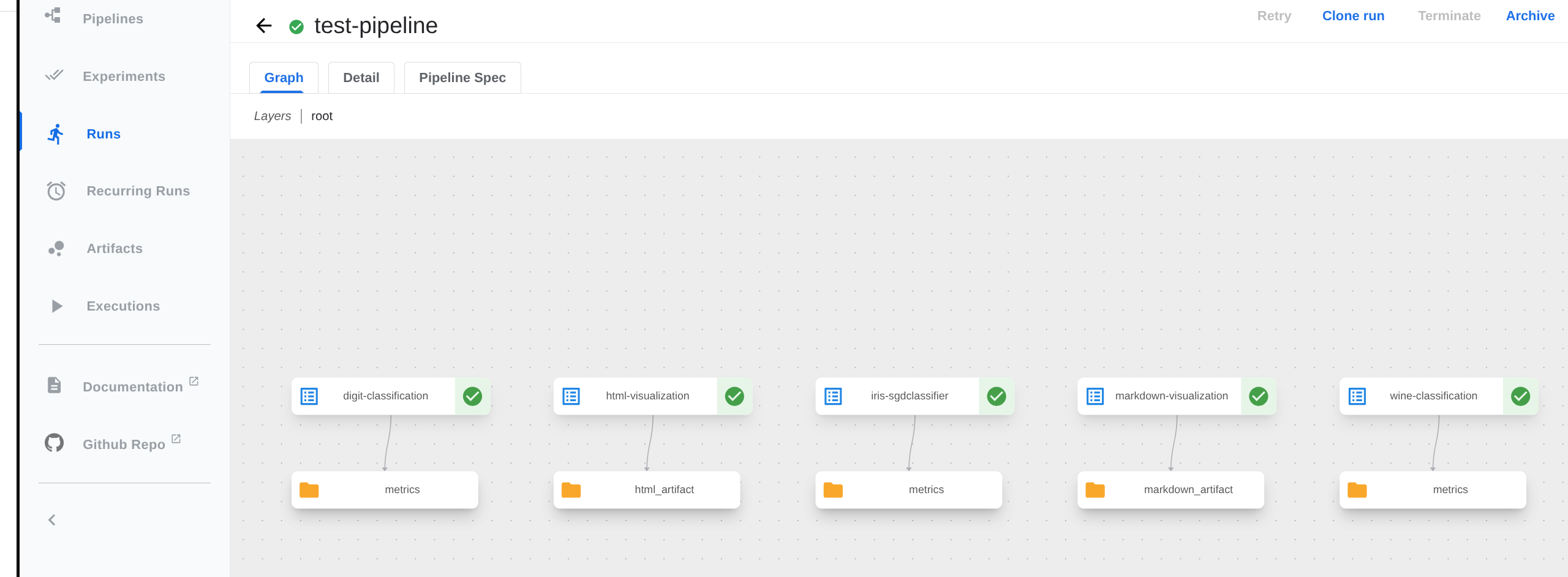
Is displayed in the MLflow console as:
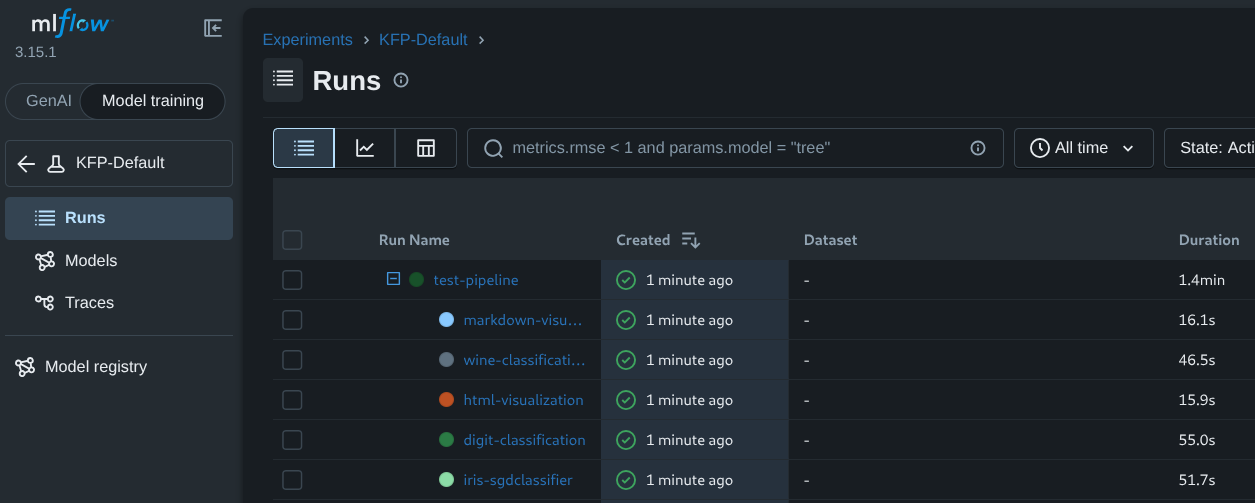
This page provides detailed instructions on how to set up the MLflow plugin for Kubeflow Pipelines at the user level, once it has been deployed and configured at the admin level.
Features
MLflow Experiments
MLflow experiments are a logical grouping of related runs. A run will always belong to exactly one experiment. If no experiment is specified, runs are logged to the default experiment (typically "KFP-Default" unless configured otherwise by a cluster administrator).
MLflow Workspaces
Organize your corresponding MLflow runs further by enabling and utilizing MLflow workspaces at either the API server level or namespace-level.
Using MLflow Autolog with this Integration
MLflow’s Autolog feature automatically logs metrics, parameters, and artifacts from your machine learning code, without explicit instrumentation, using the simple line mlflow.autolog().
This integration enables you to leverage MLflow Autolog in your Kubeflow Pipelines components, allowing you to track and visualize the performance of your machine learning models in the MLflow UI.
Note that, in order to use Autolog, you must enable injection of MLflow environment variables for user containers.
MLflow Environment Variables in Pipeline End-User Code
MLflow environment variable injection has end-user code applications beyond autolog(). The following environment variables are available for injection (if enabled):
General variables:
MLFLOW_RUN_ID: The MLflow run ID for the current pipeline task (a nested run within the parent pipeline run)MLFLOW_TRACKING_URI: The MLflow endpoint URLMLFLOW_EXPERIMENT_ID: The MLflow experiment IDMLFLOW_WORKSPACE: The MLflow workspace name (if workspaces are enabled)
Authentication variables:
MLFLOW_TRACKING_AUTH: Authentication type (kubernetesorkubernetes-namespacedfor Kubernetes auth)MLFLOW_TRACKING_TOKEN: Bearer token (when using bearer auth)MLFLOW_TRACKING_USERNAMEandMLFLOW_TRACKING_PASSWORD: Credentials (when using basic auth)
Visualize KFP Run Parameters and Metrics in MLflow
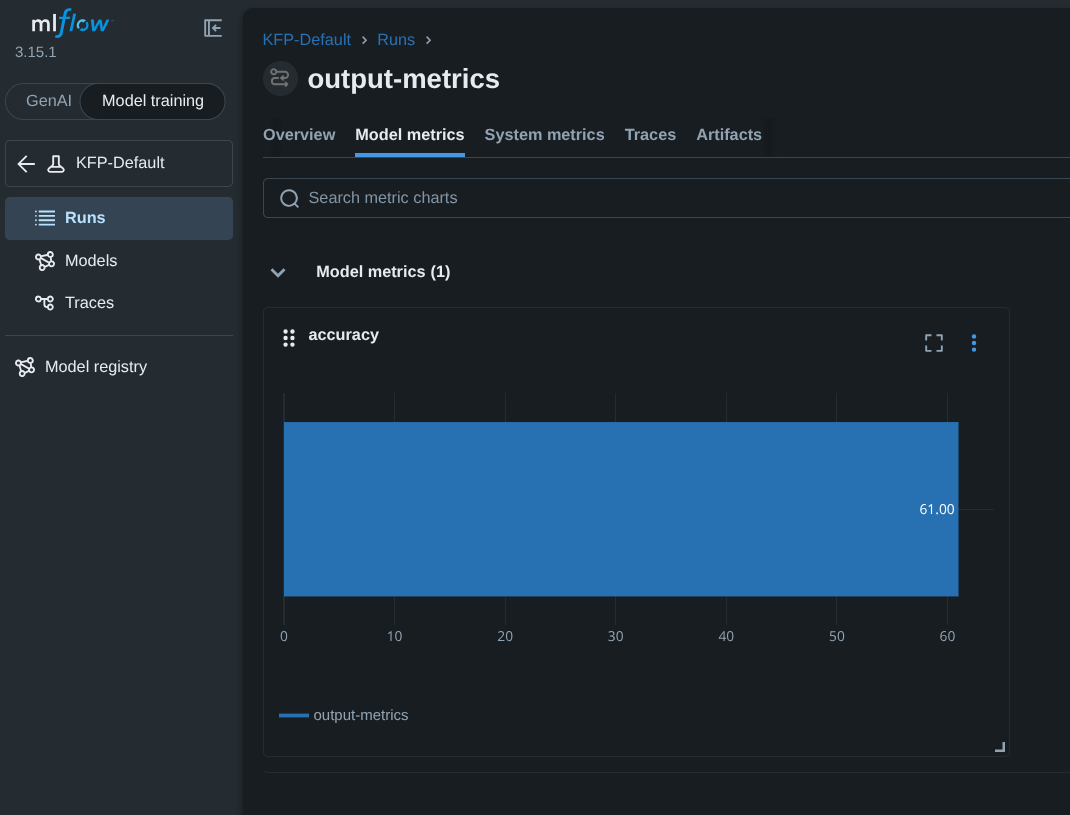
This integration automatically logs scalar metric artifacts (referred to as “metrics” in the MLflow console) and KFP pipeline run parameters to MLflow. These values are automatically visualized in the MLflow console as displayed below:
Namespace-Level Overrides in Multiuser Mode
When running in multiuser mode, namespace-level configs are prioritized. Learn more about namespace-level MLflow configuration here.
Run-level MLflow Config Overrides
While most MLflow settings are configured at the API server level, you can override certain values for individual pipeline runs using the plugins_input.mlflow field in the KFP API:
- experiment_name: Specify a custom experiment name for the run (overrides the default experiment)
- experiment_id: Use a specific experiment ID (overrides experiment name at all levels)
- disabled: Set to
trueto disable MLflow tracking for this run
Note: These overrides are only available through direct API calls, not through the KFP UI or Python SDK. See Run a Pipeline for examples.
Cached Pipeline Runs and MLflow
Pipeline component caching allows users to reuse the results of a previous pipeline run, if the results are available in the cache. When a pipeline component run is retrieved from the cache, this integration will create a new MLflow run for the cached component, as it normally would. Cached runs and normally executed runs are represented the same way in MLflow.
Feedback
Was this page helpful?
Thank you for your feedback!
We're sorry this page wasn't helpful. If you have a moment, please share your feedback so we can improve.