Pipeline Structure in MLflow
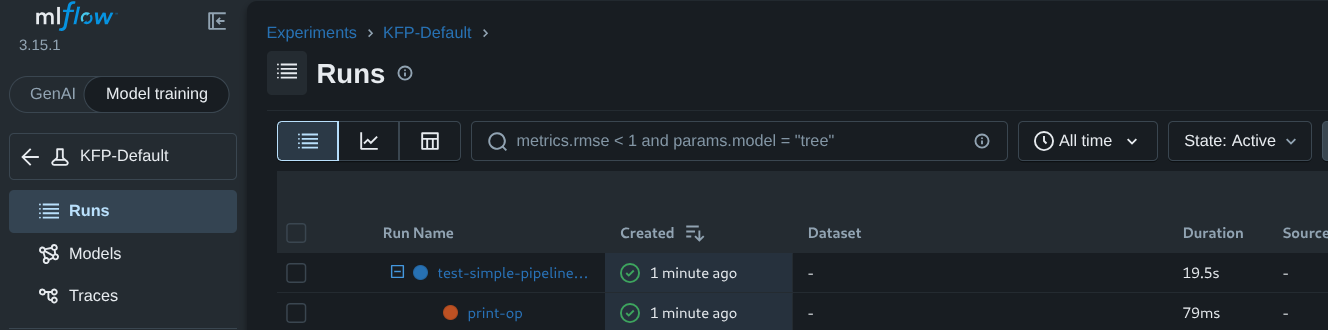
Pipeline structure looks a little different in MLflow than it does in KFP. In KFP, pipelines are represented graphically; in MLflow, pipelines appear as horizontal entries in the console.
A simple pipeline in KFP, built with the following code:
from kfp import dsl


@dsl.component()
def print_op(text: str):
    print(text)

@dsl.pipeline()
def pipeline():
    task = print_op(text='hello world!')
will appear as follows in the MLflow console:
Looped Pipelines as MLflow Runs
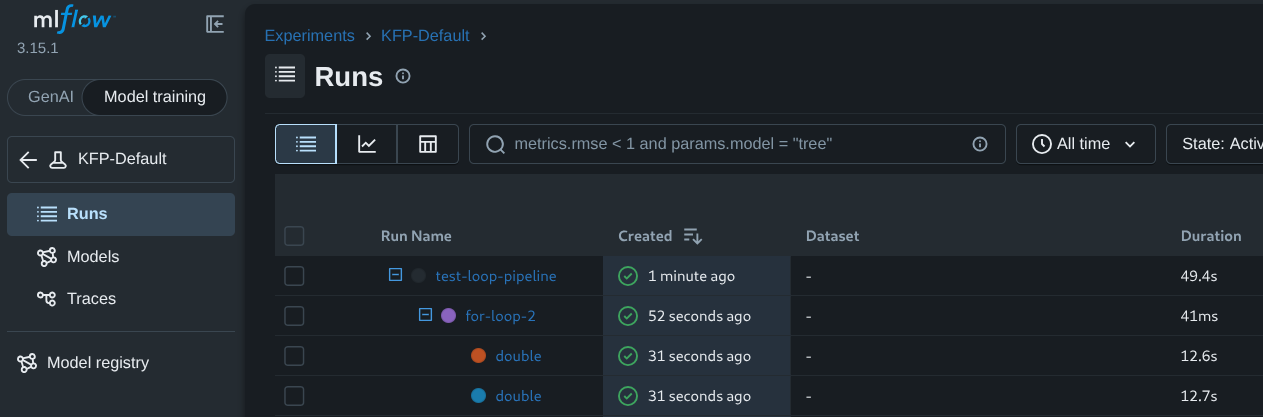
Pipelines containing loops are a more advanced structure in MLflow, allowing a function to iterate over a set of values, and are portrayed as follows:
from kfp import dsl


@dsl.component
def double(num: int) -> int:
    return 2 * num

@dsl.pipeline
def math_pipeline():

    with dsl.ParallelFor([1, 2]) as x:
        t = double(num=x).set_caching_options(enable_caching=False)
Nested Pipelines as MLflow Runs
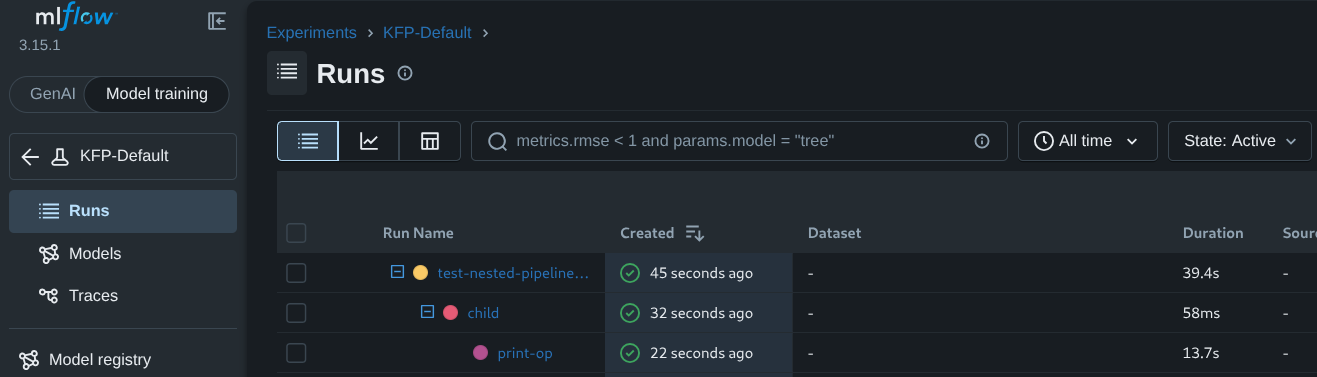
Nested pipelines, or a pipeline-within-a-pipeline, are also a more advanced structure in MLflow, and are portrayed as follows:
from kfp import dsl


@dsl.component()
def print_op(text: str):
    print(text)

@dsl.pipeline()
def child():
    nested_task = print_op(text='hello world')

@dsl.pipeline()
def parent():
    task = child()
Note that the intermediary, “child” pipeline is represented as a separate MLflow run:
Feedback
Was this page helpful?
Thank you for your feedback!
We're sorry this page wasn't helpful. If you have a moment, please share your feedback so we can improve.